Showing posts with label Case. Show all posts

Friday, April 24, 2015

Today is my Last Day at CASE

First off, let me say that I am very grateful to have had the opportunity to join and to have made the decision to join CASE back in the summer of 2011 and regret nothing. The leadership there always made me feel welcome and it was totally worth the ride!

We were less than 10 employees in the USA with another group of 4 down in Montevideo. CASE is now 60+ people strong all over the globe. We triumphed through everything put in front of us and served the AEC industry in what I like to believe was a positive way. I'm certain we will all remain good friends and colleagues going forward.


My decision to leave was difficult, but one that I had to make. I need to get back to work in my local market in the city that I love... Austin, TX. I feel confident that I am leaving my legacy in capable hands and that CASE will continue to improve well into the future.

Special thanks to Dave Fano and Federico Negro for finding me and convincing me to join their weird club! I'll miss working with you freaks! I'll be sending you guys some bootlegged CASE Polo Shirts.


Thursday, July 18, 2013

AEC-Apps Wins the ArchitectMagazine R+D Award

If you haven't checked out AEC-Apps yet, you really should. That site has caught the industry by storm with tons of people helping make it better every day, why not you? AEC-Apps is a social application discovery and rating solution designed by the CASE guys under partnership with SOM.

Architect Magazine published an article today awarding AEC-Apps their coveted R+D award! We have a few people to thank for this tool and all of its success. Below are just a few of the folks that played a major roll in the development and design of AEC-Apps. Do any of these faces look familiar (in no particular order)?


Here's a shot of the home page, we hope you check it out if you have not already, and of course it is 100% free!


Monday, July 8, 2013

Announcing the 2013 Hands-on Revit API Training Workshop

It is time to announce the second annual CASE Revit API Hands-on Workshop!! We have dates and pricing ready and you can book a spot today! Spots are very limited, so reserve your spot early!

This workshop is designed for beginners!

All computers and software will be provided! All you need to bring is excitement and a willingness to learn... If you have concerns about hotel pricing, we have a few insider tips that we can let you in on to avoid those costly hotels. Contact us for details!


Free Stuff:
All attendees will receive a free 3 month trial membership to our CASE Pro Apps! 
http://apps.case-inc.com/proapps

When:
The workshop will run four days from Tuesday September 10th to the 13th. Workshop days will begin at 9am and finish at 5pm with a two hour break at noon. You will be building all kinds of useful tools that you can take with you!

  • Day 1 - (Tuesday Sep. 10) Introduction to .NET and Concepts
  • Day 2 - Introduction to Revit API
  • Day 3 - Data Samples
  • Day 4 - Elements and Geometry
  • Social - After conclusion of day 4

Where (The CASE Office):
401 Broadway, Suite 1600 (16th floor)
New York, New York
Map: http://bit.ly/N1PteT


Pricing!
We are offering an early bird discount that will gradually increase as we get closer. Act fast because spots are limited!

$1,500 (Aug 1 - Aug 17)
$1,850 (Aug 18 - Aug 31)
$2,000 After Aug 31


Booking a Spot
Send an email to [info at case-inc dot com] and copy myself [d dot rudder at case-inc dot com] with a title of "CASE Revit 2013 API Workshop" letting us know you are interested in reserving a seat for the API workshop. Please include a phone number and we will contact you to secure payment. Your price will lock in on the date your email is sent to us if we do not get back to you the same day (highly unlikely).

Thanks for your interest and we're looking forward to helping you get your Revit API learn on!


Thursday, January 10, 2013

CASE Apps Updates

Our BETA Subscription tools have launched!  We also took this opportunity to reorganize how we are loading these items into the Revit ribbon. All of the CASE tools still get installed from the CASE Add-In Manager and install onto a custom ribbon tab named "Case Design, inc."

This new ribbon design also provides automatic updates to the latest version when it gets posted to our servers (only for tools that you already have installed)!

There are only 4 subscription tools in the system at the moment, but several others are on the way within the next few weeks. We have also added a FAQ page that answers some of the most frequent support questions that we get about these tools.


If you have not received your free 60 day trial of the subscription tools, email me and I'll get an invite sent over to you.

Friday, December 7, 2012

AEC APPS is Launching!

We've been working hard on a web portal where people can socially track, rate, and explore all kinds of applications for AEC related workflows. You'll notice that these tools are not just limited to design and that you'll discover applications to cover just about any kind of workflow that AEC professionals run into.

Since it is entirely social, if there's an application you think i missing, you can add it yourself. Get involved and create a free profile today at https://aec-apps.com/


Thursday, October 11, 2012

CASE Add-In Manager Updated

Guess what! The CASE Add-In Manager has been updated! You may not notice anything too spectacular about this update, but just about everything about it has been improved.

http://apps.case-inc.com/content/add-manager

  • Previously installed tools on your system will be detected and checked as already installed when you run the manager
  • If you have a strong firewall policy at your office and you've previously seen zero of the tools in the manager, this update might fix that for you! Give it a try and let me know!
  • We will be unveiling a suite of paid subscription tools this year at AU2012, so the
    "Activate Subscription" button will remain grayed out until this official announcement...
  • New snazzy icon (I made it myself)!


Monday, August 6, 2012

SOLD OUT - CASE Revit 2013 API Workshop

Thanks to all that enrolled into the Inaugural CASE Revit 2013 API Workshop! This is the first of many I'm sure based on the amount of interest that we saw from you guys.

For those of you that did enroll, please plan to stay late on Friday as we will be throwing a bit of a happy hour social in the office. We have a ping pong table and Fed thinks he can't lose... so there's that...


We are looking into the possibility of a travelling roadshow where me might end up doing a workshop in the Portland Oregon area as well as Dallas Texas... Stay tuned for updates if we figure out a way to make this work publicly.


Friday, July 27, 2012

CASE Revit 2013 API Workshop

It's time to make this official! We have dates and pricing ready for you guys and you can book a spot today! All computers and software will be provided so all you need to bring is excitement and a willingness to learn.


This workshop is also where I will be unveiling our subscription tools and giving away a few free 90 day trial memberships! You wont want to miss this because the general public will not be able to access these tools until November!

When:
The workshop will run four days from Monday September 11th to the 14th. Workshop days will begin at 9am and finish at 4pm with a one hour break at noon. You will be building all kinds of useful tools that you can take with you!

  • Day 1 - (Tuesday Sep. 11) Introduction to .NET and Concepts
  • Day 2 - Introduction to Revit API
  • Day 3 - Data
  • Day 4 - Elements and Geometry

Where (The New CASE Office):
401 Broadway, Suite 1600 (16th floor)
New York, New York
Map: http://bit.ly/N1PteT


Pricing!
We are offering an early bird discount that will gradually increase as we get closer. Act fast because spots are limited!
$1,500 until Friday August 3rd, 2012
$1,700 (Aug 4 - Aug 17)
$1,850 (Aug 18 - Aug 31)
$2,000 After Aug 31

Booking a Spot
Send an email to [info at case-inc dot com] and copy myself [d dot rudder at case-inc dot com] with a title of "CASE Revit 2013 API Workshop" letting us know you are interested in reserving a seat for the API workshop. Please include a phone number and we will contact you to secure payment. Your price will lock in on the date your email is sent to us if we do not get back to you the same day (highly unlikely).

Thanks for your interest and we're looking forward to helping you get your Revit API learn on!


Wednesday, July 25, 2012

CASE Add-Ins Manager is Here

Some of you may be more excited than others about this announcement... we at CASE are moving away from individual installers for our free tools. Instead we are offering a single desktop utility (no admin privileges required to install) that you can use to install and discover new tools that we offer.

http://apps.case-inc.com/content/add-manager


You may also notice a grayed out button referring to some kind of subscription... stay tuned for announcement relating to this as we will begin offering our high-powered tools to the general public via monthly or annual subscription...

Oh, and we have the August free tool ready to install using this new Add-In Manager, take a look at what Nathan Miller developed (this one was not my doing):
http://apps.case-inc.com/content/import-opennurbs-3dm-file-data

Friday, July 6, 2012

Free CASE Add-In Updates 2013 Change and Replace Linestyles

I just posted a 2013 installer for the free CASE Change and Replace Linestyles tool. You can download both the 2012 and 2013 version from the link below!

http://apps.case-inc.com/content/change-and-replace-line-styles

Tuesday, July 3, 2012

Hands on Revit API Training Workshops

Updated July 6, 2012!


I've got some good news for those of you interested in learning the Revit API. I will be conducting a series of hands-on workshops at the CASE office in New York (401 Broadway). These workshops will max out at ten (10) attendees. You will leave this workshop capable of developing your own add-ins.

Content will be tailored for beginner programmers that have familiarity with Revit. If you are a designer or support designers and have some sort need to learn BIM automation, this workshop is for you.

MacBook Airs loaded with all necessary software will be provided for your use during the workshops... just show up and be ready to learn!


View


Hardware
MacBook Airs
.NET

When?

Look for an official announcement later this month with the first workshop being held some time in August.

Length of Workshop?

We anticipate the workshop running 4 days with each session day running six hours with an hour long break in the middle (9am to 4pm).

Talent Assumptions / Prerequisites

  • Attendees will have basic knowledge of the Revit platform
  • Attendees have at least hear of the Revit API and have heard of the Microsoft .NET Framework

Programming Languages Used in Workshop

  • C# and VB.NET

Cost?

The cost for the workshops is yet to be determined. Stay tuned for announcements from the www.case-inc.com site.

Want to Reserve a Spot Now?

  • Leave a comment at the bottom with your name
  • DM or @ me on Twitter: AYBABTM

Friday, April 27, 2012

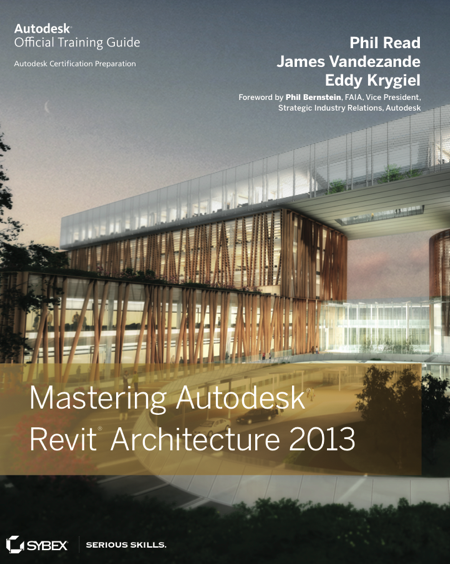
Mastering Autodesk Revit Architecture 2013

If you haven't made it over to Amazon to preorder your copy of the official Autodesk Revit Architecture 2013 training guide entitled "Mastering Autodesk Revit Architecture 2013" then you better go do it now...


This was my third year writing the API chapter with Phil Read, James Vandezande, and Eddy Krygiel. I wrote about the "Extrude Rooms to 3D Mass" sample that everyone seems to love so much. This sample was first released on the Case Design, Inc. free Revit Add-ins page. Now you have the opportunity to see the code and get an in-depth glimpse as to how this API sample works.

You can access the official API Sample exactly as it was used in the chapter from the main Sybex website. I will also be posting the sample to github (after the book officially publishes) where we can make updates if we need to. The sample was written in VB.NET, but a C# version may eventually get pushed into the github repo as well.

Tuesday, April 24, 2012

CASE Monthly Free Add-In for May

As most of you are aware, CASE offers a free Revit Add-In every month for you guys to play with. We post the installers on http://apps.case-inc.com/. We only require that you please register in order to gain access to the installers.

These installers require that you paste the provided installation link into Internet Explorer. No other browser will properly install the tool as we use Microsoft ClickOnce technology to handle the installers so you don't have to have Administrative permissions to do so. Since Revit requires Internet Explorer to function as well, this shouldn't be too tough of a requirement for you guys to meet.

Month of May Free Add-In - External Wall Facing Direction

The free Add-In for May (Revit 2012) originates from a request that came in from @ElrondBurrell via Twitter land. He wanted a tool that could report the directionality of all out facing external walls, so that's what this tool does. We might post an update eventually that includes windows and doors, but for now it only works on walls who's Function parameter is set to External.


The parameter selections listed in the top right offer a means to push the data into the selected parameter for each wall element. Be careful with this one as it will overwrite the data in that parameter for all walls as soon as you hit OK. Don't worry though, you can always undo if you need to.

If you choose to write the data out as an Angle, the angles start at North as 0 and go clockwise around up to 360.

Watch for the Twitter announcement at or around May 1 for the public release of this tool as well as future tools that we offer from your friends at @case_inc.

Sunday, December 4, 2011

Free Revit Add-Ins from Your Friends @ Case Design, Inc.


It has been a while since I've posted anything so I’d like this to be one for the users out there. We’ve been working on lots of cool stuff recently including the beginnings of what we will be offering as a suite of free tools for Revit 2012 and beyond.

For those of you that made it out to Autodesk University 2011 in Las Vegas and attended our first annual AU Tweetup (free beers for our twitter friends), you may have heard about a few of these tools. We released three fully functional tools that you can install from our apps site by registering your valid email address. Once you’ve registered for the tools, the links to install will be revealed in the page.

The first three tools of the Case Free Tool Suite include:


Once installed, the tools will be accessible from a new Tab on your Revit Ribbon named "Case Design, Inc." These are are intended to be simple to use everyday use tools to help out. If you ever have a need for anything more complicated or heavily customized give me a shout and I'd be happy to work with you on a solution.

We are planning to add others in the future to our free suite of tools, so stay tuned to announcements from this blog as well as twitter from any of the following accounts:
@case_inc
@AYBABTM
@davidfano
@fedenegro

Tuesday, November 1, 2011

Free Revit Add-Ins?

As some of you may have been hearing, Case is in the process of developing some free Revit Add-Ins for general consumption. I'd like to offer up a chance for you to suggest a tool or utility that you would like to see make it as part of this free offering.


Leave a comment here explaining a Revit tool that you'd like to see added to the free Case toolset and you just might get your wish... Who knows, you might even win something.

Saturday, October 1, 2011

How to Build a ClickOnce Installer for Revit Add-Ins

Have you ever wanted to deploy an installation package that did not required Admin privileges for the distribution of your Revit Add-ins? Do you also need a simple means to deploy frequent updates? ClickOnce installers can do just that for you.


Microsoft unveiled the ClickOnce technology way back in 2003 and is great so long as your application is simple and does not require any modifications during install that may require administrative access. ClickOnce works by copying an entire isolated application to the user's profile on install. There is a small issue in that ClickOnce is not available for class library projects (Revit Add-Ins are class library projects).

Here is a workaround that you can use to deploy a ClickOnce application to install your Revit Add-Ins.

From inside your current Revit Add-In Visual Studio solution, add a new Windows Console project named the same as your target project but with a ".Updater" suffix added to the end. Save this new project alongside your current project. This new console project will only be used to copy the Revit Add-In program files into the user's Revit Add-Ins directory under their Windows user profile.


This new project will allow you to generate the published installer that a standard class will not. Open the project settings and click on the "Publish" tab along the left (VB.NET, C# will be different). You can enter a version setting as well as an installation URL where youy will post your updates.


Notice the highlighted path above in the URL section? You need to also enter this in the "Updates" section. Click on the "Updates" button to access the optional updates settings.


You can set the project and publisher settings from the "Options" button shown here.


The next thing that you need to do is add a reference to your main project so that the resulting dll files can be included as part of the installation of this console project. Add a reference to your console project and choose your project from the Projects tab.


Now that you have a reference to this project, you can add the output dll to your ClickOnce installation process. From the Publish tab, click the "Application Files" button and make sure that everything required by your Revit-Add-In is also available within this dialog. Set each file to "Include" that you will require in your main installation.


You may have noticed that the ".addin" file is included in the above list. Be sure to add your addin file to the console project so that it can be included in this list as it is required in order for the Revit Add-In to launch in a Revit session.

You can also add an icon to be used by your installer if you like by setting an icon in the "Application" tab of the console project.

Now that you've got the basic format of the publish project configured, you'll need some code to copy the files into the user's Revit Add-Ins directory. Enter the following code in the default "Module1" that was created automatically in your new console project to do just that:


Imports System.IO
Imports System.Reflection

Module mod1

    Private m_sourcePath As String = Path.GetDirectoryName(Assembly.GetExecutingAssembly.Location)
    Private m_w7 As String = Environment.GetEnvironmentVariable("UserProfile") & "\AppData\Roaming\"
    Private m_xp As String = Environment.GetEnvironmentVariable("UserProfile") & "\Application Data\"

    ''' <summary>
    ''' The Main Function
    ''' </summary>
    ''' <remarks></remarks>
    Sub Main()
        ' Test for Win7
        If Directory.Exists(m_w7) Then
            DoCopy(m_w7)
            Exit Sub
        End If
        ' Test for XP
        If Directory.Exists(m_xp) Then
            DoCopy(m_xp)
            Exit Sub
        End If
        ' Warn on Failure
        MsgBox("Your Operating System was not Properly Detected", MsgBoxStyle.Exclamation, "Installation Failed")
    End Sub

    ''' <summary>
    ''' Copy the Files
    ''' </summary>
    ''' <param name="p_destination"></param>
    ''' <remarks></remarks>
    Private Sub DoCopy(p_destination As String)
        ' Addin path
        Dim m_PathAddin As String = p_destination & "Autodesk\Revit\Addins\2012"
        ' Get Files
        Dim m_di As New DirectoryInfo(m_sourcePath)
        Dim m_FilesAddin As FileInfo() = m_di.GetFiles("*.addin")
        Dim m_FilesDll As FileInfo() = m_di.GetFiles("*.dll")
        For Each x In m_FilesAddin
            Try
                x.CopyTo(m_PathAddin & "\" & x.Name, True)
            Catch ex As Exception
                ' Quiet Fail
            End Try
        Next
        For Each x In m_FilesDll
            Try
                x.CopyTo(m_PathAddin & "\" & x.Name, True)
            Catch ex As Exception
                ' Quiet Fail
            End Try
        Next
    End Sub

End Module

After you've made all the necessary adjustments, you can click the "Publish Now" button in the Publish tab to publish the project. A new Publish directory will be created beneath the directory where your new console project was saved. This is your ClickOnce installer? Copy the entire set of files to either a location on your network or to an FTP on the web where you will host the installations. The ".application" file is the installer. Setup.exe can be used for browsers other than IE.


Each subsequent time that you update your code, click the "Publish Now" button to create a new publish installer. Each sequence will be saved in the same location. Copy the updated files to the location where you are hosting your updates and will become available to your users by executing the "updater" program that was originally installed on your client's machines (Executing the tool from inside Revit will NOT automatically update the tools in this configuration).

Be sure and use Internet Explorer to run the "*.application" ClickOnce installer as this is the only browser that will support this technology so far.

Tuesday, July 5, 2011

Che-che-che- Changes....

It's been a very busy year so far and some rumors have surfaced. I have indeed officially moved on into a new roll with a new company that some may refer to as a start up. I prefer to think of us as an industry changing leader of the AEC community with very deep roots.

Who are we, you ask? Here's a clue:
I will be serving this fine group of super powered individuals as their new CTO and look forward to working with you all in one form or another before it's all said and done...

Be sure and contact me if you have any needs for AEC development, no matter how large or small. We will be focusing on Revit and Navisworks mostly. You should also keep an eye out for a few game changing mobile apps from us to hit the streets soon as well!

This concludes today's public service announcement!